
Choose Things 3 if you want a personal planner across Apple devices and are comfortable reviewing waiting tasks yourself. Try Chorsu if you work on one Mac and want a task to return to Today automatically after its prerequisite is completed.
Chorsu is not affiliated with or endorsed by Cultured Code. Things is a product of Cultured Code.
Waiting for a date or waiting for another task?
A follow-up date means check again on Friday
. A prerequisite means show this after approval is complete
. Choose based on which kind of waiting your work needs.
Scroll sideways to compare all three columns.
| What matters | Chorsu | Things 3 |
|---|---|---|
| Represent the wait | Link the task to an unfinished prerequisite. | Use a Waiting tag with a follow-up date or Someday. |
| Bring it back | Completing the last prerequisite surfaces an otherwise active task in Today’s Just unblocked section. | Review the waiting task yourself, or let its scheduled follow-up date arrive. |
| Capture into a project | Resolves a project from your task and local context; asks when uncertain. | Choose the project in Quick Entry before saving, or file the task later. |
Things’ waiting-task guide explains its tags, follow-up dates, and Someday workflow. A scheduled check-in can be useful when you are waiting for someone and need to follow up.
One observed example in Chorsu
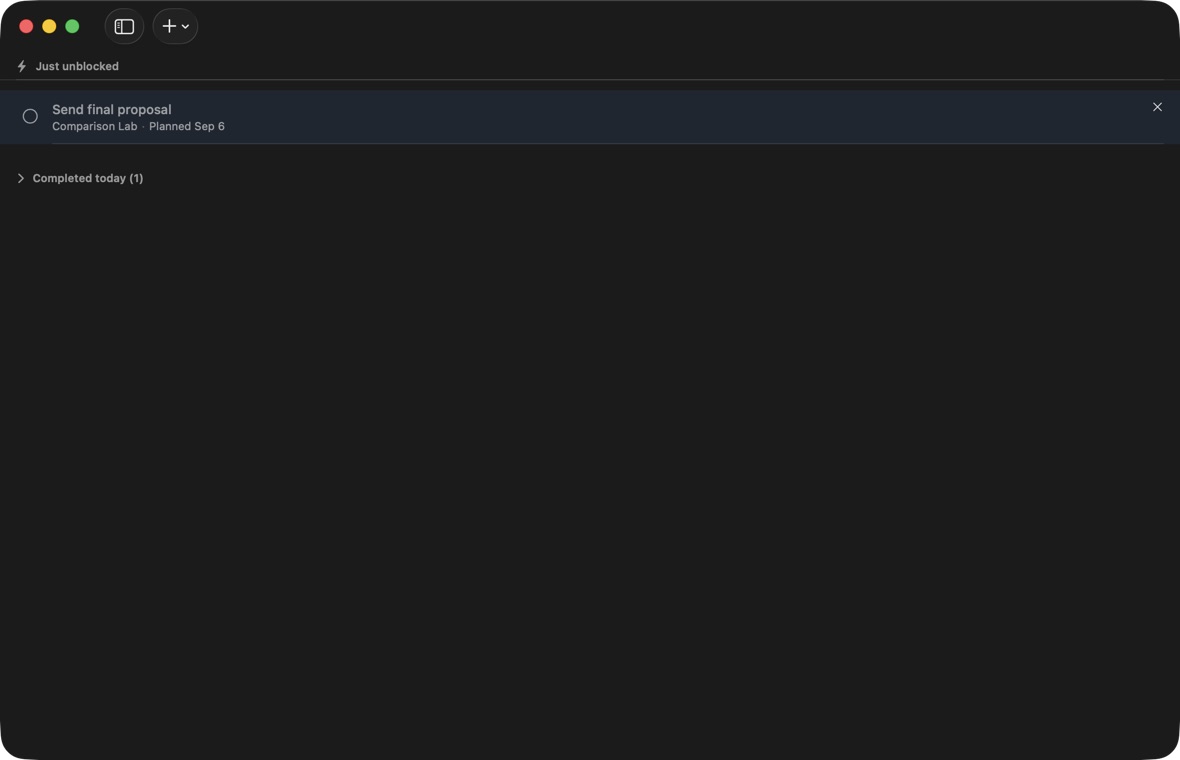
We made Send final proposal
depend on Receive client approval
. Chorsu showed the proposal as blocked, and Today was empty. When we completed approval, the proposal appeared in Just unblocked without being moved manually.
In the same test in Things, the proposal retained its Waiting tag and Someday state after we completed approval; Today stayed empty.
Chorsu does not detect that an approval email has arrived: you complete the prerequisite yourself. The task and project must remain active, and other unfinished prerequisites can still block it. The task dependency guide explains setup and readiness in more detail.
Both apps support quick capture
Things’ Quick Entry lets you choose a project before saving, and its date controls accept natural language. Chorsu aims to resolve the project and English time phrases from the capture text. Our test captured directly into the intended Chorsu project, but one example is not an accuracy benchmark. See the capture guide for uncertain matches.
Which fits your work?
Things offers broader planning across Apple devices, with repeating tasks, start dates, and deadlines. It can work on one device without a cloud account; Things Cloud adds optional sync. Check its current purchasing options for the separate platform apps.
Try a small Chorsu project if automatic filing or resurfacing blocked work would help you. Keep your existing Things workspace while you evaluate it; we did not test migration or sync between the apps.
What to know before choosing Chorsu
Chorsu requires Apple silicon and macOS 26 or later. Its natural-language parser is English-only. Your workspace is local to this Mac: there is no Chorsu account, cloud sync, or shared workspace for assigning tasks to other people.
Core capture, project routing, and date parsing do not require Apple Intelligence. Optional on-device assistance can improve project suggestions. Task text stays local by default, while purchase verification, limited upgrade signals, and optional diagnostics use the network. Read the privacy policy for the exact boundaries.
Start free with 3 active projects and unlimited tasks. Chorsu Pro removes the project limit for a one-time purchase. The U.S. price is $19.99; regional prices may vary. Check the Mac App Store listing and the in-app offer before buying.